How can I create a ticket in my application?


 button. On click of this button a pop up page will open.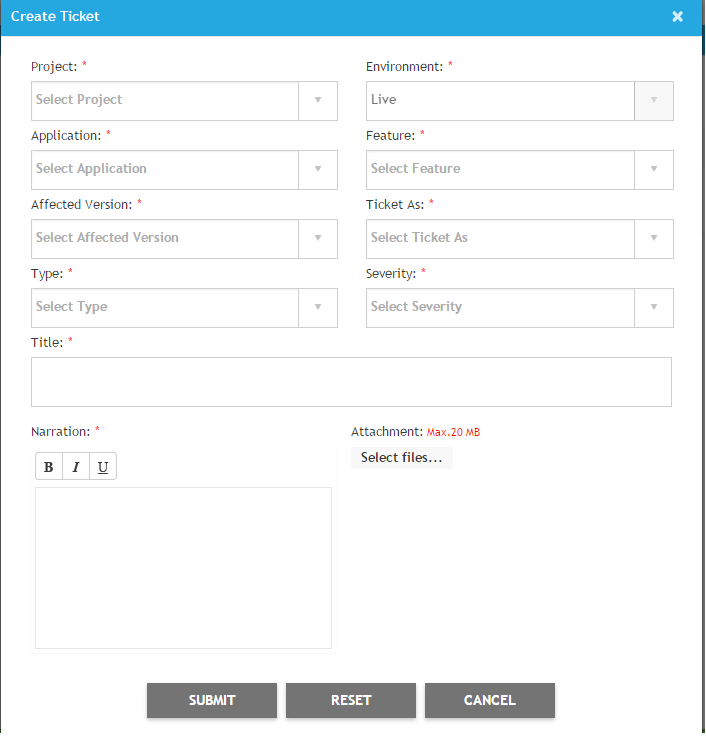
Project :
Here, you have to select the application name for which you want to raise the ticket in RED.
Environment :
This will be 'Live' by default.
Application :
Select the module of your application for which you want to post the ticket.
Feature :
Select the feature of application here for developer's reference.
Affected version :
Select the version of application in which you are intended report the ticket.
Ticket As. :
Here you can define the kind of ticket you want to raise like (Bug/Optimization/Change/Query).
Type :
Define the type of ticket here like Functional/Documentation/Usability etc.
Severity :
Define the severity according to the criticality of the ticket.
Title :
Set one liner title for your ticket.
Narration :
Narrate your concern here.
Attachment :
You can attach any type of attachment to extend the lucid your concern.